
Focus on teaching,
not wrestling with tools

Gameplan is an all-in-one learning management system with built-in grading, chat, and a simple drag-and-drop lesson builder.
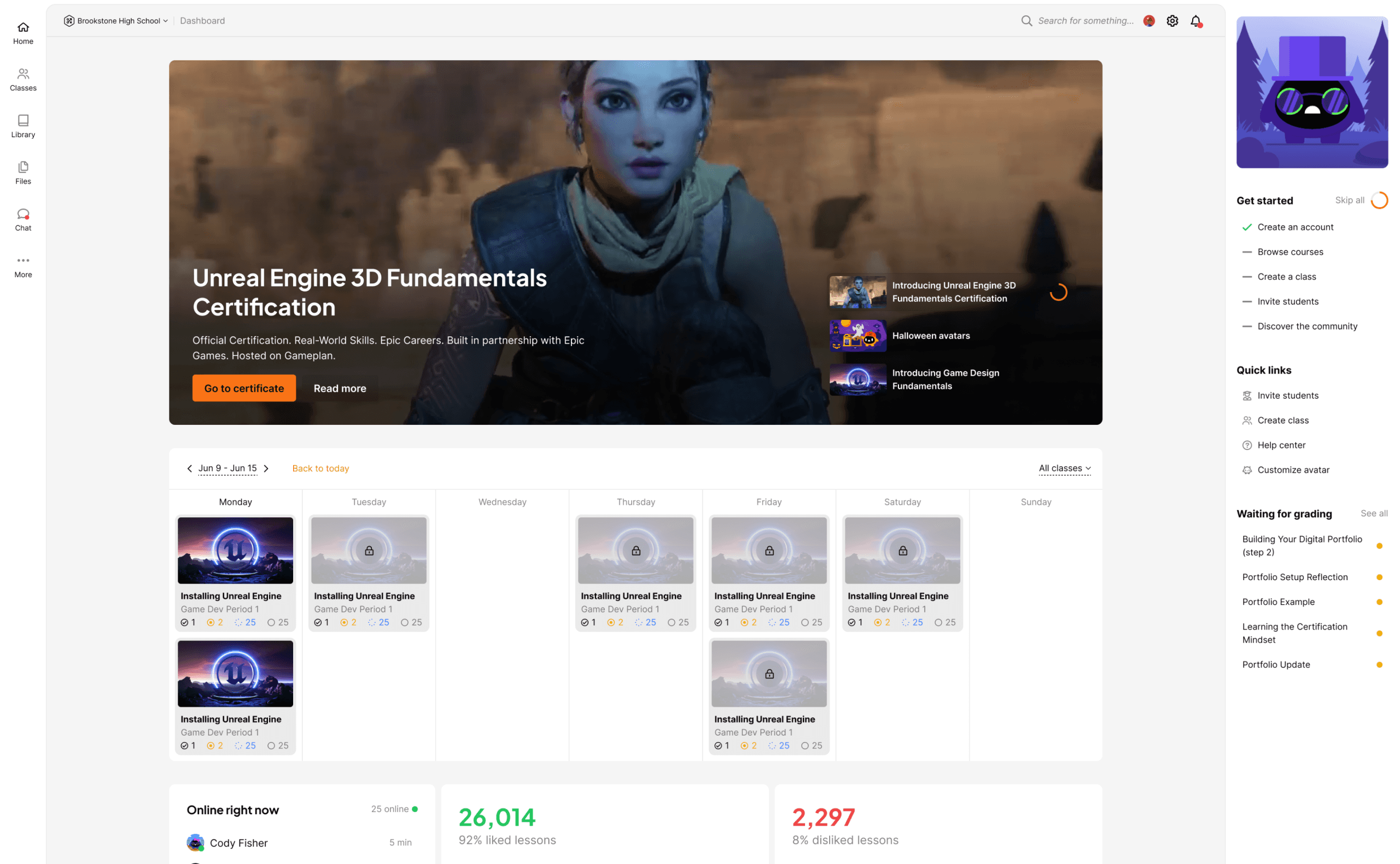
A screenshot of the Gameplan dashboard displayed in a web browser. At the top center is a large featured banner with a 3D character image promoting a course or certification. Below it is a weekly calendar view showing scheduled lessons with thumbnail images and progress indicators. A left sidebar contains navigation icons for sections like classes, library, files, and chat, while a right sidebar includes a “Get started” checklist, quick links, and a list of items awaiting grading. The layout is clean and modern, with light backgrounds and organized content panels.

Trusted by 750+ schools

  • Erie Boces logo
  • Comption Unified School District logo
  • Little Rock School District logo
  • Las Cruces Public schools logo
  • New Brunswick Public schools logo
  • Colorado Early Colleges logo
  • Carteret Public schools logo
  • Tucson Unified School District logo
  • Doral Academy logo
  • Madison Consolidated Schools Logo
  • Thai-Chinese International School
  • Santa Ana Unified School District Logo
  • San Jacinto Unified School District Logo
  • Etiwanda School District Logo
  • REAL Journey Academy Logo
  • Payette River Regional Technical Academy Logo
  • Monroe County Com Sch Corp Logo

Your school isn’t disorganized. Your tools are.

Teachers are juggling tools that weren’t built for education. It’s exhausting. It’s inefficient. And it creates gaps in accountability, communication, and data. Gameplan replaces the chaos with one connected system, designed specifically for schools.

A young person wearing a tan hoodie sits at a desktop computer, focused on the screen while pointing toward something displayed. An older adult wearing glasses and a dark jacket leans in beside them, looking at the monitor and appearing to provide guidance. The setting appears to be a modern classroom or workspace, with another person working at a computer in the background.

Powerful for one school, ready for the entire district

Whether you’re managing a single school or an entire district, Gameplan scales with you. Our advanced, easy-to-use tools - including a flexible access control system - make organization management simple.

A young person wearing a tan hoodie sits at a desktop computer, focused on the screen while pointing toward something displayed. An older adult wearing glasses and a dark jacket leans in beside them, looking at the monitor and appearing to provide guidance. The setting appears to be a modern classroom or workspace, with another person working at a computer in the background.

Powerful for one school, ready for the entire district

Whether you’re managing a single school or an entire district, Gameplan scales with you. Our advanced, easy-to-use tools - including a flexible access control system - make organization management simple.

A young person wearing a tan hoodie sits at a desktop computer, focused on the screen while pointing toward something displayed. An older adult wearing glasses and a dark jacket leans in beside them, looking at the monitor and appearing to provide guidance. The setting appears to be a modern classroom or workspace, with another person working at a computer in the background.

Powerful for one school, ready for the entire district

Whether you’re managing a single school or an entire district, Gameplan scales with you. Our advanced, easy-to-use tools - including a flexible access control system - make organization management simple.

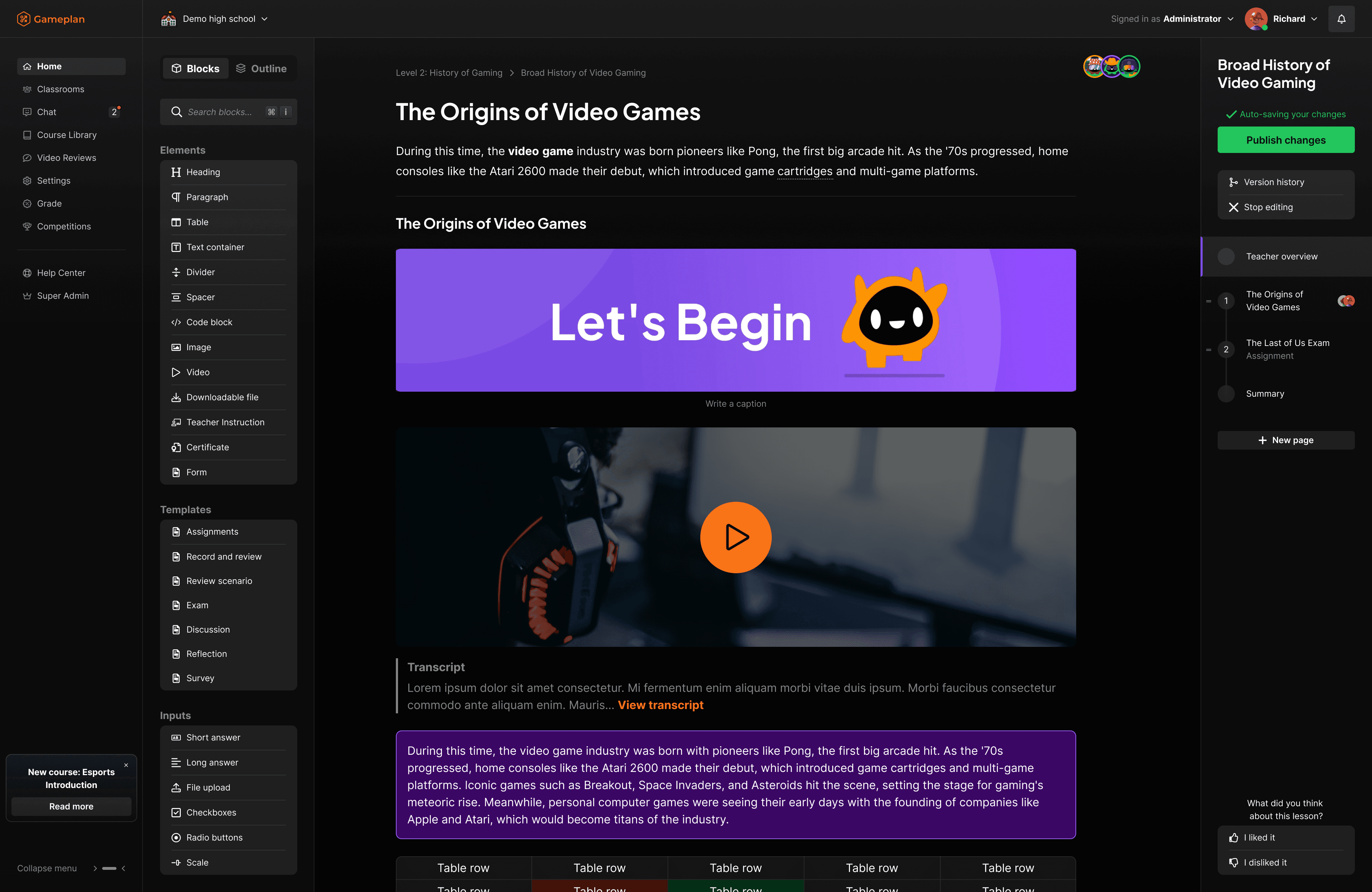
The lesson editor you’ll actually enjoy using

Gameplan’s flexible lesson builder adapts to how you teach - not the other way around. Rearrange sections, embed media, add activities, and structure your content exactly the way you want.
A screenshot of the Gameplan dashboard displayed in a web browser. At the top center is a large featured banner with a 3D character image promoting a course or certification. Below it is a weekly calendar view showing scheduled lessons with thumbnail images and progress indicators. A left sidebar contains navigation icons for sections like classes, library, files, and chat, while a right sidebar includes a “Get started” checklist, quick links, and a list of items awaiting grading. The layout is clean and modern, with light backgrounds and organized content panels.
A screenshot of a messaging interface within a web application. The top bar shows a user signed in as an administrator. In the main panel, a direct message thread displays a short message from a user named Dan Teschat. A side panel on the right shows the user’s profile information, including options such as blocking the user or muting notifications, along with their associated organization. The layout is clean and minimal with a light background and orange accent color at the top.

Discord and Slack alternative for schools - built in

Keep conversations where learning happens. Class-wide discussions, private messaging, and announcements, all inside a safe, school-controlled environment.


  • Class channels

  • Direct messaging

  • Teacher moderation controls

  • AI moderation

A screenshot of a messaging interface within a web application. The top bar shows a user signed in as an administrator. In the main panel, a direct message thread displays a short message from a user named Dan Teschat. A side panel on the right shows the user’s profile information, including options such as blocking the user or muting notifications, along with their associated organization. The layout is clean and minimal with a light background and orange accent color at the top.

Discord and Slack alternative for schools - built in

Keep conversations where learning happens. Class-wide discussions, private messaging, and announcements, all inside a safe, school-controlled environment.


  • Class channels

  • Direct messaging

  • Teacher moderation controls

  • AI moderation

A screenshot of a messaging interface within a web application. The top bar shows a user signed in as an administrator. In the main panel, a direct message thread displays a short message from a user named Dan Teschat. A side panel on the right shows the user’s profile information, including options such as blocking the user or muting notifications, along with their associated organization. The layout is clean and minimal with a light background and orange accent color at the top.

Discord and Slack alternative for schools - built in

Keep conversations where learning happens. Class-wide discussions, private messaging, and announcements, all inside a safe, school-controlled environment.


  • Class channels

  • Direct messaging

  • Teacher moderation controls

  • AI moderation

A screenshot of a messaging interface within a web application. The top bar shows a user signed in as an administrator. In the main panel, a direct message thread displays a short message from a user named Dan Teschat. A side panel on the right shows the user’s profile information, including options such as blocking the user or muting notifications, along with their associated organization. The layout is clean and minimal with a light background and orange accent color at the top.

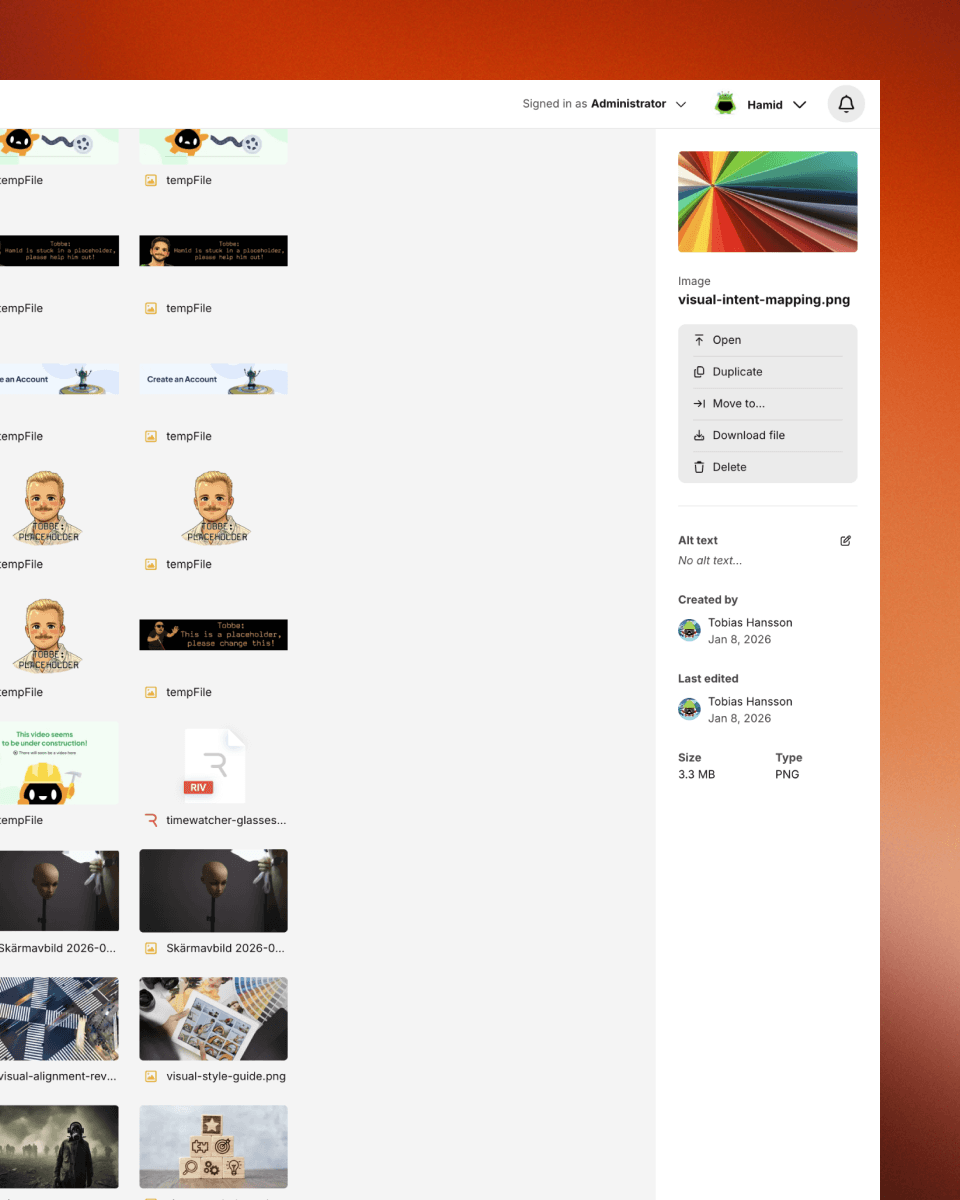
All your files, in one place

Upload, organize, and share files directly inside each class. Students always know where to find materials, and teachers stay in control.

No external drives. No permission issues. No lost documents.

It’s all stored securely, exactly where it should be.


  • Structured file storage

  • Permission-based access

  • Secure and centralized

A screenshot of a messaging interface within a web application. The top bar shows a user signed in as an administrator. In the main panel, a direct message thread displays a short message from a user named Dan Teschat. A side panel on the right shows the user’s profile information, including options such as blocking the user or muting notifications, along with their associated organization. The layout is clean and minimal with a light background and orange accent color at the top.

All your files, in one place

Upload, organize, and share files directly inside each class. Students always know where to find materials, and teachers stay in control.

No external drives. No permission issues. No lost documents.

It’s all stored securely, exactly where it should be.


  • Structured file storage

  • Permission-based access

  • Secure and centralized

A screenshot of a messaging interface within a web application. The top bar shows a user signed in as an administrator. In the main panel, a direct message thread displays a short message from a user named Dan Teschat. A side panel on the right shows the user’s profile information, including options such as blocking the user or muting notifications, along with their associated organization. The layout is clean and minimal with a light background and orange accent color at the top.

All your files, in one place

Upload, organize, and share files directly inside each class. Students always know where to find materials, and teachers stay in control.

No external drives. No permission issues. No lost documents.

It’s all stored securely, exactly where it should be.


  • Structured file storage

  • Permission-based access

  • Secure and centralized

Works with your ecosystem, but doesn’t depend on it

Unlike patchwork systems that rely on constant integrations just to function, Gameplan is complete on its own. But when you need to connect with other tools, we make it seamless.
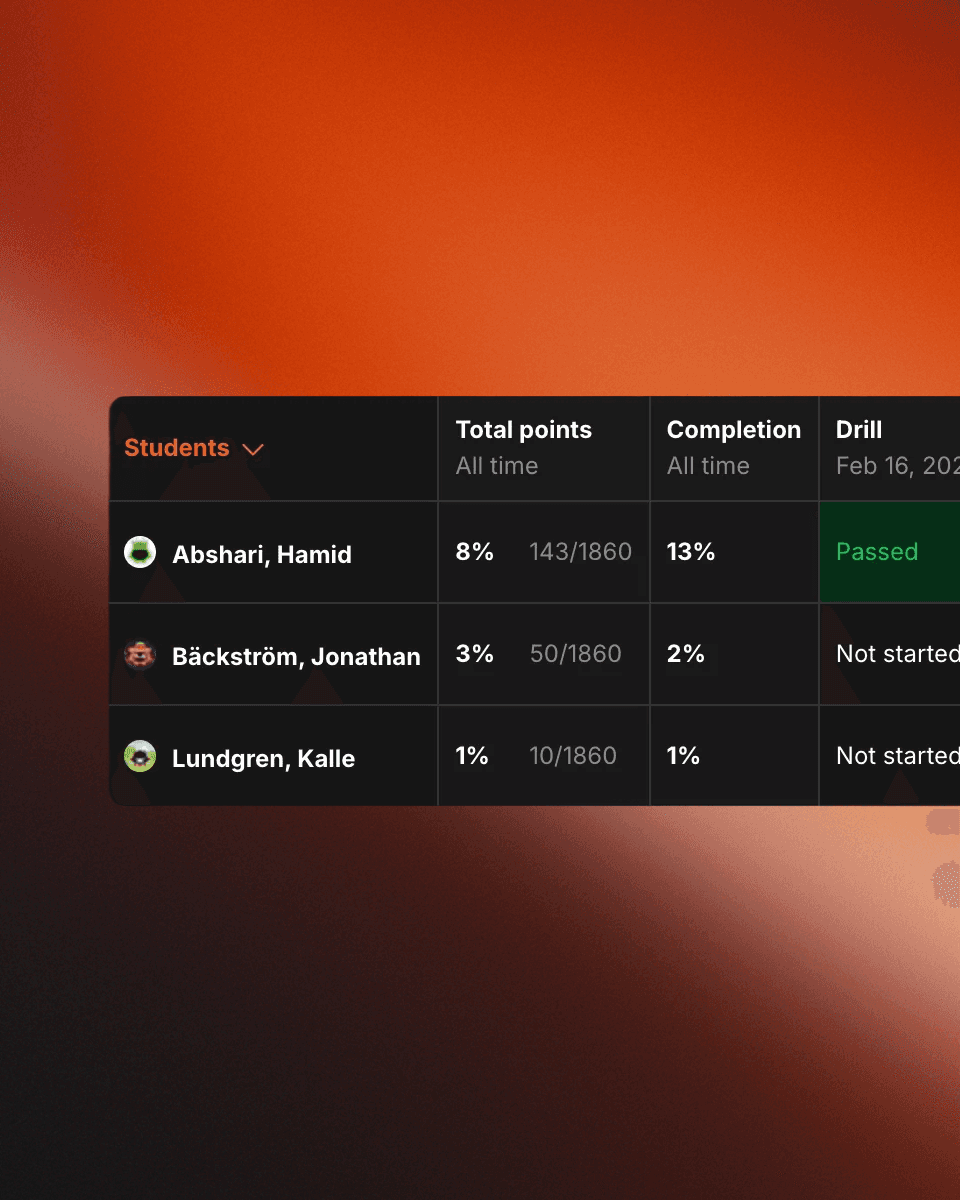
A screenshot of an online classroom platform showing the Gradebook tab for a class titled “Hamid’s Valorant Class.” The interface includes navigation tabs such as Overview, Members, Gradebook, and Settings. Below a search bar and filter options, a table lists students along with columns for total points, completion percentage, and assignment status. Each row shows a student’s name, progress metrics, and activity statuses such as “Passed,” “In progress,” or “Not started.” The layout is clean and structured, with highlighted status labels and percentage indicators.

Grading that doesn’t require a spreadsheet

Grade assignments, track student progress, and generate insights directly inside Gameplan. Everything connects - assignments, submissions, feedback, and performance - automatically.


  • Built-in gradebook

  • Custom grading scales

  • Instant feedback tools

  • Performance analytics

A screenshot of an online classroom platform showing the Gradebook tab for a class titled “Hamid’s Valorant Class.” The interface includes navigation tabs such as Overview, Members, Gradebook, and Settings. Below a search bar and filter options, a table lists students along with columns for total points, completion percentage, and assignment status. Each row shows a student’s name, progress metrics, and activity statuses such as “Passed,” “In progress,” or “Not started.” The layout is clean and structured, with highlighted status labels and percentage indicators.

Grading that doesn’t require a spreadsheet

Grade assignments, track student progress, and generate insights directly inside Gameplan. Everything connects - assignments, submissions, feedback, and performance - automatically.


  • Built-in gradebook

  • Custom grading scales

  • Instant feedback tools

  • Performance analytics

A screenshot of an online classroom platform showing the Gradebook tab for a class titled “Hamid’s Valorant Class.” The interface includes navigation tabs such as Overview, Members, Gradebook, and Settings. Below a search bar and filter options, a table lists students along with columns for total points, completion percentage, and assignment status. Each row shows a student’s name, progress metrics, and activity statuses such as “Passed,” “In progress,” or “Not started.” The layout is clean and structured, with highlighted status labels and percentage indicators.

Grading that doesn’t require a spreadsheet

Grade assignments, track student progress, and generate insights directly inside Gameplan. Everything connects - assignments, submissions, feedback, and performance - automatically.


  • Built-in gradebook

  • Custom grading scales

  • Instant feedback tools

  • Performance analytics

Easily schedule content, manage students and teach with classrooms

Gameplan Classrooms gives teachers everything they need to launch and manage a class fast.


  • Drag-and-drop scheduling

  • Add students manually or send a simple invite link.

  • One-click Clever sync

See how Gameplan can work in your school

Flexible, scalable, and made to fit. Let’s show you how.

15-30 min

Online meeting
No content? Use the catalog to find something

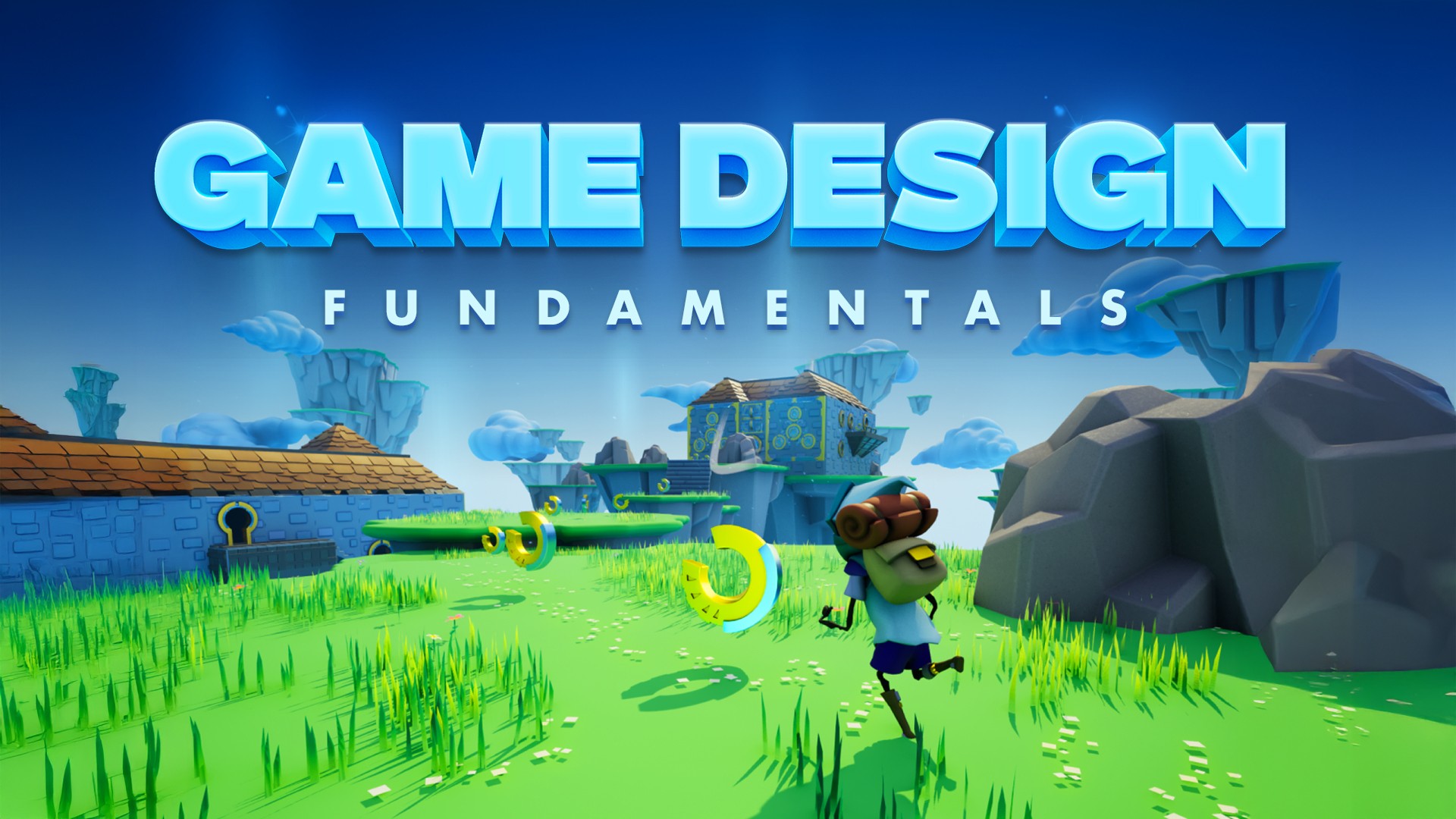
From game design and media production to cybersecurity and esports, Gameplan helps you turn student interests into real-world skills.

Download full curriculum overview

Fill in your email and receive the course catalog

No content? Use the catalog to find something

From game design and media production to cybersecurity and esports, Gameplan helps you turn student interests into real-world skills.

Download full curriculum overview

Fill in your email and receive the course catalog

No content? Use the catalog to find something

From game design and media production to cybersecurity and esports, Gameplan helps you turn student interests into real-world skills.

Download full curriculum overview

Fill in your email and receive the course catalog