
Unreal Engine 3D Fundamentals technical details
Certification overview
The Unreal Engine 3D Fundamentals certification validates that individuals possess the foundational knowledge and skills in Unreal Engine and interactive 3D to qualify for promising careers across various sectors, including Game Development, Animation, Virtual Production, Visual Effects (TV and Film), Architecture and Engineering, Simulations, and Interactive Media. Furthermore, it aids employers in identifying and recruiting more skilled candidates, thereby addressing labor market shortages and accelerating career growth for certified individuals.
Exam format
Certification name: Unreal Engine 3D Fundamentals
Exam policies: Follows Gameplan’s certification exam policies
Recommended experience: Candidates are recommended to have at least 100 hours of experience with Unreal Engine 5 before attempting the exam.
Prerequisites: None. There are no required courses, certifications, or curricula to be completed before registering.
Delivery mode: Proctored exam session. In-person or remote
Question type(s): Multiple choice & Multiple select
Number of questions: 40 questions
Scoring model: Pass or Fail
Overall passing score: 32/40 (80%)
Exam language(s): English
Attempt duration: 60 minutes time limit.
Retakes: 3 attempts per voucher are included. Minimum 20 days between attempts. At most 3 attempts per year.
Accommodations: Email accommodation requests to certifications@gameplan.com according to the Accommodation Policy
Certificate expiration: Certificates are valid for three (3) years from being issued.
Industry standards exam weights
The exam evaluates knowledge and understanding of concepts based on the following weighted industry standards
Unreal Engine 5 Basics 30%
User Interface 8%
Sequencer 5%
Niagara Special Effects 10%
Blueprint Scripting 10%
World Building 10%
Audio 7%
Lighting 10%
Materials 10%
Exam registration process
Candidates launch the certification page at https://app.gameplan.com/certifications/ad49132c-4d57-49df-891b-aabb5f3f19e2
Candidates enter their voucher code and then their exam session code (provided by the proctor).
Candidates wait for proctor approval.
The proctor verifies identity and either approves or rejects each candidate.
Once approved, candidates may begin their exam attempt and will have the allotted time to complete it.
Certificate & badge
Candidates who pass and remain in good standing receive a digital credential package consisting of a digital certificate and badge.
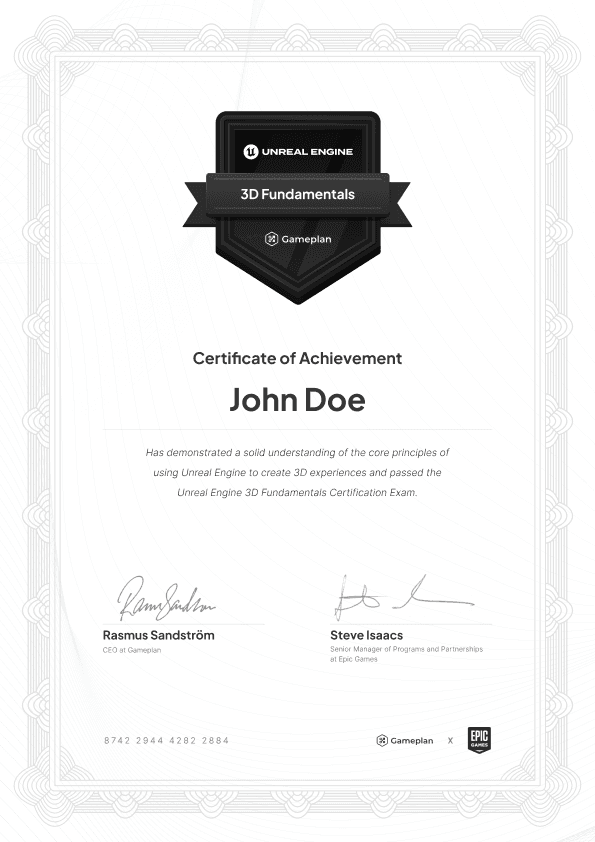
Samples are provided for reference only.
Final credential appearance and delivery method may vary by exam version.
Contact
For all certification questions: certifications@gameplan.com.